Close the garage door sale in the driveway.
Your tech photographs the opening. AI outlines every door. They design it with the customer — styles, colors, windows, Good·Better·Best — with live installed pricing from your price book. Then the customer signs. All before anyone leaves.
From photo to signature, one visit
Four steps a tech can run on a tablet at the curb — no office round-trips, no “we’ll get you a quote next week.”
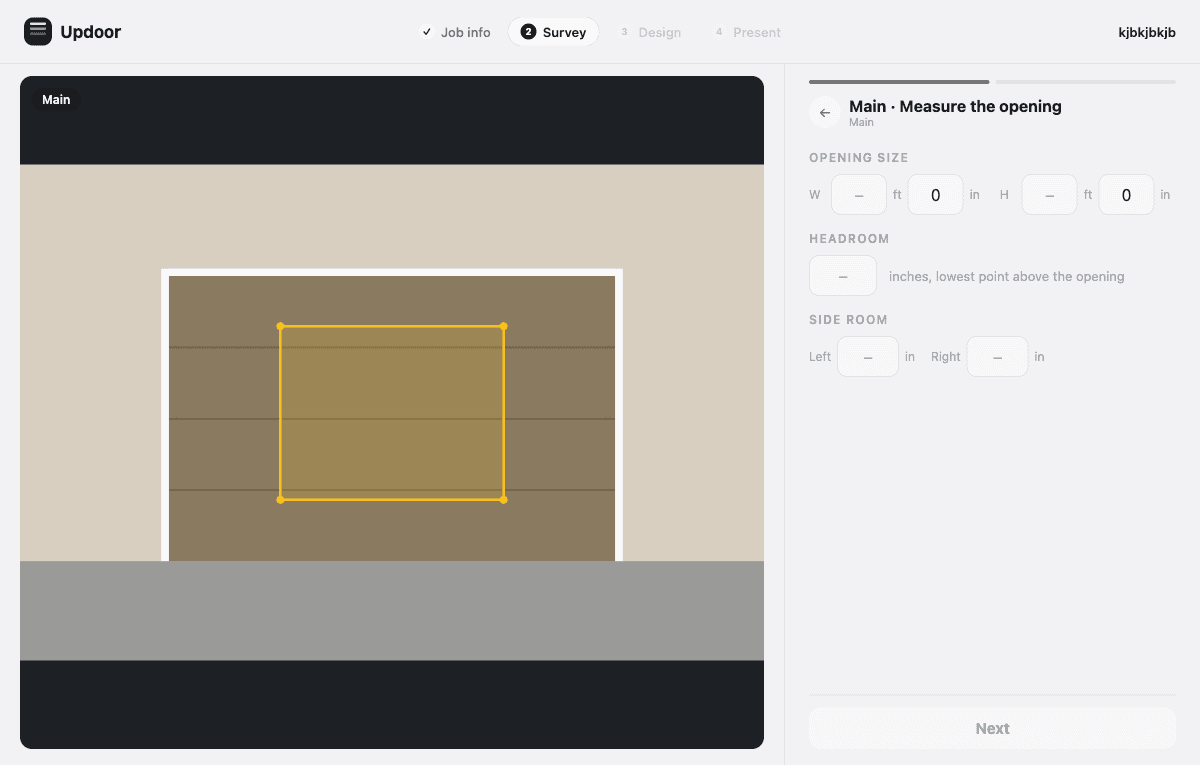
Survey with AI door detection
One wide shot covers every door. Updoor’s vision pipeline finds each opening and traces its outline — field-tested against shadows, glass doors, and awkward light. Measurements take a minute with guided steps, and out-of-book sizes get flagged before they become problems.
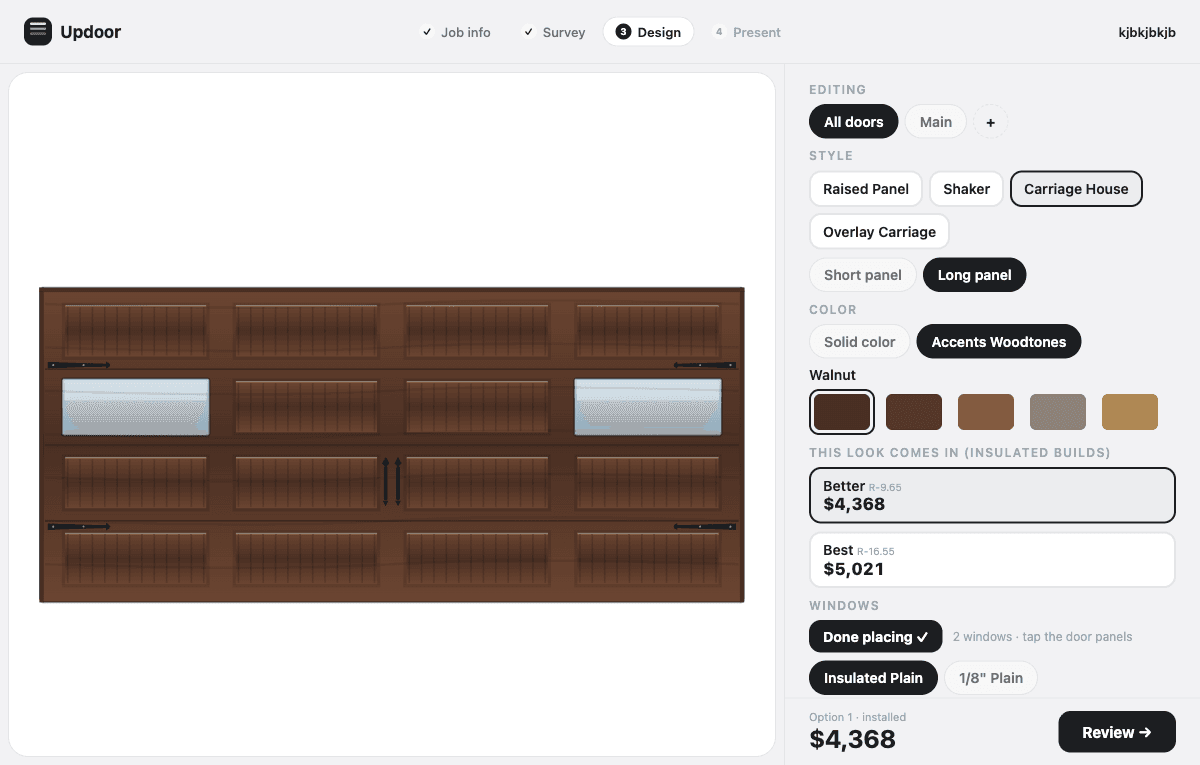
Design it with the customer
Styles, panels, colors, woodtones, windows placed by tapping the door — rendered live while the customer watches. Every choice reprices instantly from your price book: list, dealer, installed. Good·Better·Best tiers are one tap.
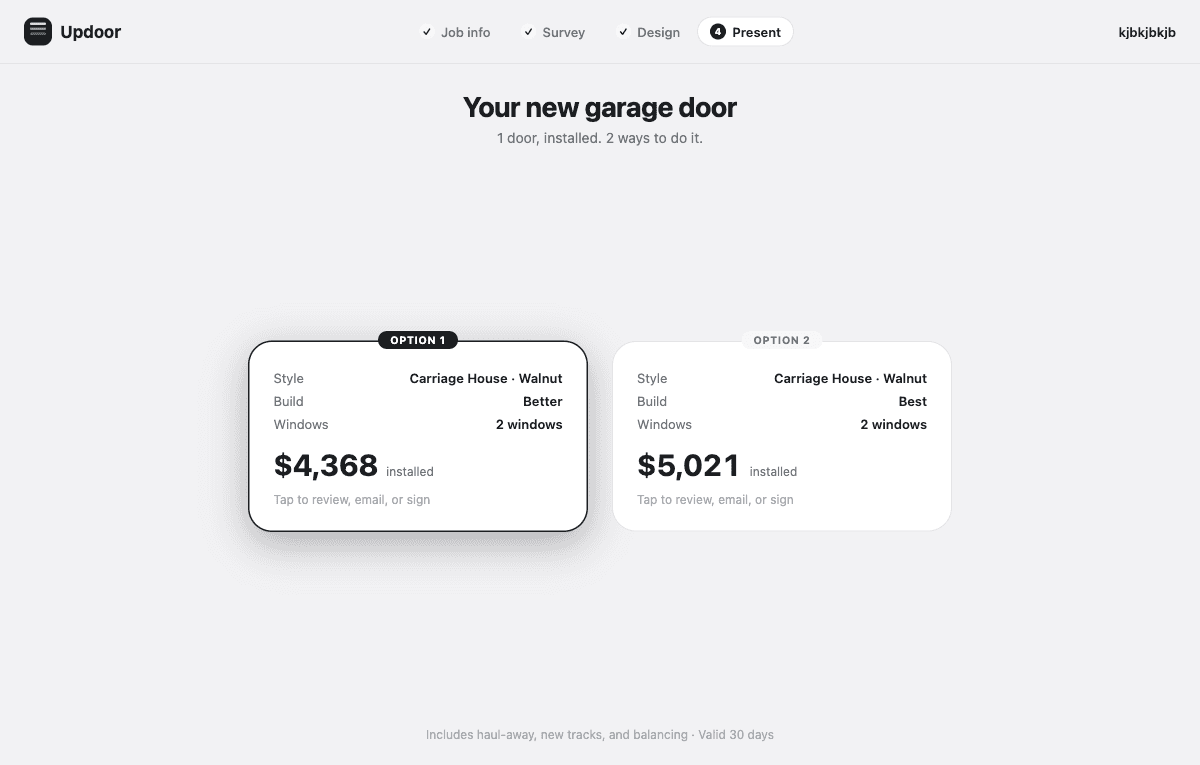
Present options, not a number
Clean option cards the customer can compare — style, build, windows, installed price. The estimate detail shows exactly what’s included, per door, with the deposit and total. No mystery line items.
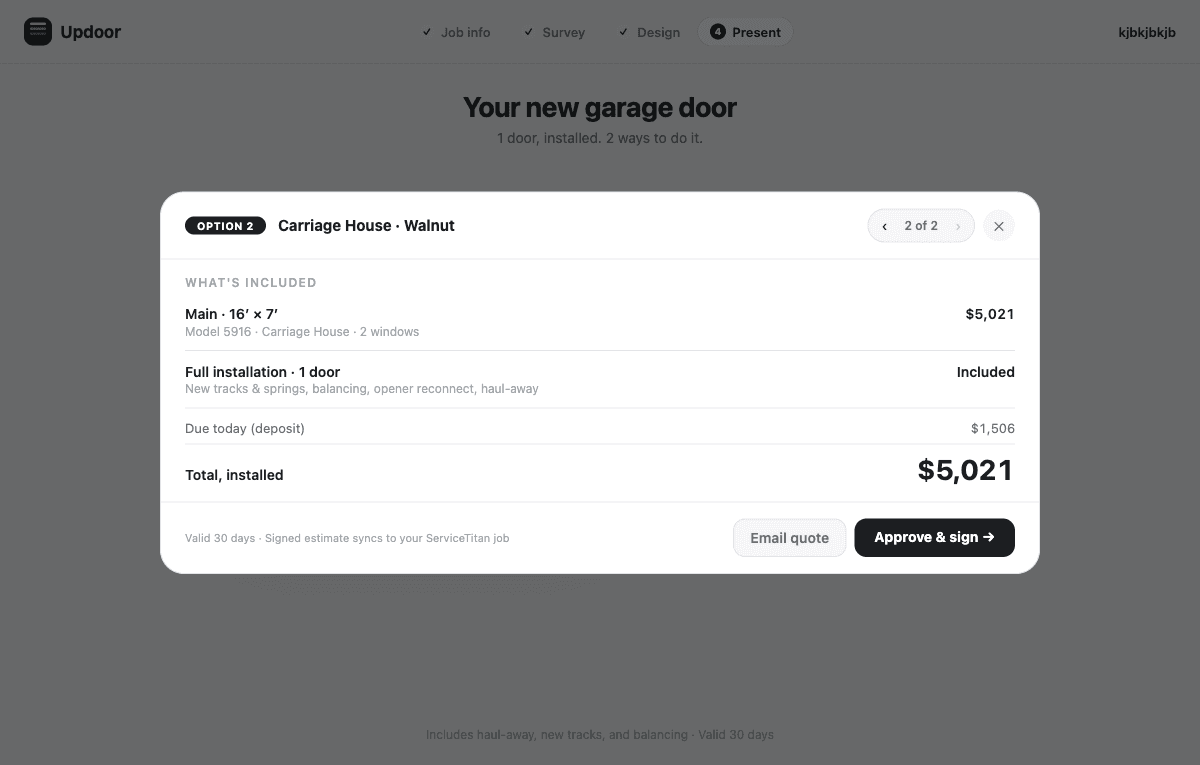
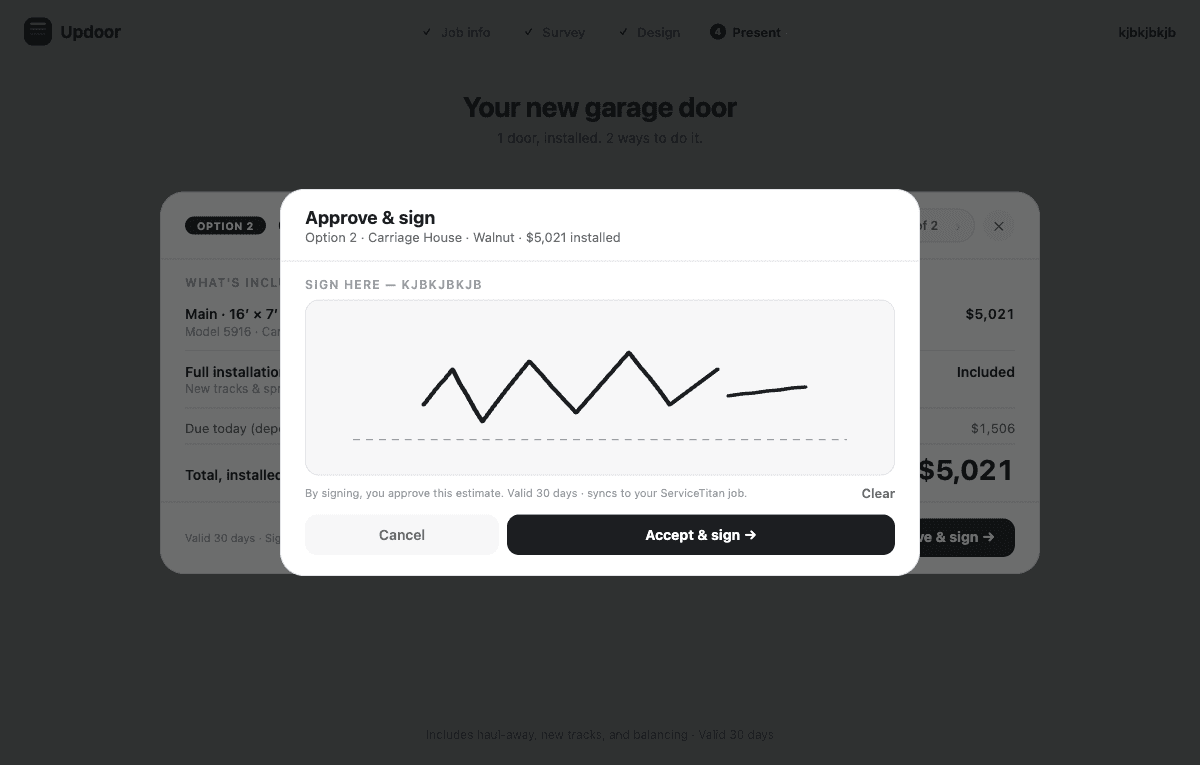
Signature on the spot
The customer signs the exact estimate they reviewed — right on the tablet. The signed estimate is stamped to the job and syncs to your field service platform, so the office sees a sold job, not a sticky note.
Everything the visit needs, nothing it doesn’t
Works with no signal
Dead zones don’t kill deals. Surveys, designs, and pricing all work fully offline and sync when the truck finds bars again.
AI that knows garage doors
A multi-pass vision pipeline counts, outlines, and verifies every door in the photo — and degrades gracefully to tap-to-place when you’re offline.
Your price book, live
Real dealer pricing with your installed markup — special widths, woodtone upcharges, glass, inserts, hardware credits. The quote is right because the math is.
Doors rendered, not described
Raised panel, shaker, carriage house, overlay — drawn live in the customer’s color with their windows. People buy what they can see.
Syncs to your FSM
Updoor is the sales layer, not another system of record. Signed estimates land on the job in ServiceTitan, Housecall Pro, or Jobber.
Seats that behave
Invite techs from the office portal. Each seat works on one device at a time, and every survey and signature is attributed to the tech who did it.
Per seat, like the rest of your stack
One price per tech per month. No contracts, no per-quote fees, no charging you for your own price book.
- Unlimited surveys, designs, and signed estimates
- AI door detection included
- Office portal with team management
- Offline-first on iPad, iPhone, and Android
Fair questions
Does it replace ServiceTitan / Housecall Pro / Jobber?
No — it completes them. Your FSM books the job and runs the office; Updoor wins the sale in the driveway and pushes the signed estimate back to the job.
What if there’s no cell signal at the house?
Everything a visit needs — survey, measurements, design, pricing, signature — runs on the device. AI detection needs a connection, but the tech can outline doors by hand and let AI verify later. Data syncs when signal returns.
Whose pricing does it use?
Yours. Updoor prices from the manufacturer price book with your dealer and installed multipliers — including special widths, woodtones, glass, inserts, and hardware credits.
How do seats work?
The office portal is where you create your company and invite techs by email — each invited tech is a seat. A seat signs in on one device at a time: signing in on a new device signs out the old one.
What hardware do techs need?
It’s built tablet-first — an iPad in a truck is the sweet spot — and fully responsive on phones. Android and iOS.
The next driveway could be a closed deal.
Set up your company in two minutes. Invite your techs. Win the visit.